
















Baggage Recovery with Tracking Devices
If your checked-in baggage is delayed or misplaced, you can share your Apple AirTag or Android tracking device’s location link with us for faster recovery.
Easy Steps to Track Your Lost or Delayed Baggage using your personal tracking device






HOW TO SHARE YOUR PERSONAL TRACKING DEVICE LOCATION
Website
- Click Support (top right corner of the homepage)
- Select Contact Us
- Under Need Help, select Submit Request
- Choose Baggage > Lost and Found Checked Baggage
- Enter the required details and PIR number
- Paste your tracking device’s location link under Find My Baggage Location
- Click Submit
App
- Tap the hamburger menu
- Select Customer Support Portal
- Choose Baggage > Lost and Found Checked Baggage
- Enter the required details and PIR number
- Paste your tracking device’s location link under Find My Baggage Location
- Click Submit
Note: Once submitted, passengers will receive an acknowledgement email from Air India with a tracking link. They can use their PIR number and last name to check the real-time status of their lost or misplaced baggage.
Frequently Asked Questions
If you discover baggage damage during your journey, you must take immediate action and report the issue to Air India. Here's what you should do to report damages to your baggage:
Immediate inspection
Upon receiving your baggage at the destination airport, inspect immediately for any visible damages or signs of mishandling. If you notice any damages, report them to the airline staff at the baggage claim area before leaving the airport.
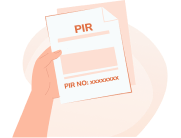
File a Property Irregularity Report (PIR)
If you notice baggage damages at the airport, request Air India representatives to assist you in finding a Property Irregularity Report.
The PIR is an official document that documents the conditions of your baggage and the reported damages. Make sure to provide accurate information and keep a copy of the report for your record.
Provide relevant details
While filing the PIR, be prepared to provide relevant details about your flight, baggage tags, contact information and a description of the damages incurred.
Including photographs of the damaged baggage can be helpful in the claims process.
Follow-up and claims
After filling out the PIR, you can trace your baggage using the WorldTracer baggage tracking system.
For detailed information on reporting damages to your baggage and specific procedures, refer to our official Lost and Damaged Baggage Page.
It's crucial to report damages as soon as possible to improve the chances of a successful claim and resolution.
Losing your baggage during a journey can be distressing, but immediate action can help locate and recover your belongings. Here is what you should do if your baggage is lost:
Notify us
Report the loss immediately to Air India staff at the baggage claim area or the ‘Lost and Found’ desk. Provide flight details, baggage tags, and a detailed description of the lost items.
File a Property Irregularity Report (PIR)
Request help to file a PIR – an official document to record the details of your lost baggage. Keep a copy of the report for follow-up.
Check online
Use the PIR reference number to track your lost package status on our WorldTracer baggage tracking system. Any baggage that cannot be traced 21 days from the date of filing of the report is considered lost.
Claim compensation (if applicable)
You may be eligible for a one-time settlement as interim relief. To read our policy on compensation if your baggage is not recovered within a specified period, visit our Lost and Damaged Baggage Page.
Travel confidently, knowing that Air India is dedicated to resolving such incidents with care and efficiency.
Track through Personal Tracking Device
If you have placed a tracking device in your checked baggage, you can use it to help locate your bag faster. Share your tracking device’s location link using our customer support portal via our website or app to expedite tracking and resolution.
Please report the loss to the Air India personnel at the airport. They will file a Property Irregularity Report, and you will be given a reference number for follow-up action.
Please contact Air India's airport staff, and they should be able to help with this. If you have already left the airport, please raise a request using our customer support portal, and our executive can help with this request.
If you pick up a wrong bag at the airport, promptly bring it to an Air India baggage services counter at the airport nearest to you. Our dedicated staff will work diligently to resolve the issue and reunite you with your belongings.
Yes, you may be eligible for compensation if your baggage is delayed, subject to applicable regulations.
- Report the missing baggage immediately at the airport and file a Property Irregularity Report (PIR) to initiate tracing and the claims process.
- Air India will make every effort to locate and deliver your baggage at the earliest.
- If the baggage is not located within the prescribed timeframe, it may be declared lost and compensation may be processed in line with applicable international conventions and airline policy.
For more details on eligibility, required documentation, and the claims process, please visit the Lost or Damaged Baggage | Prepare to Travel | Air India.
Thank you for your patience while our team works to resolve the matter.
If your baggage is delayed or lost, you can use your tracking device to help us locate it faster by following the below steps:
Step 1: Report the Issue
- Visit the Lost and Found counter at the airport.
- File a Property Irregularity Report (PIR) and obtain your PIR number.
Step 2: Generate your tracking device’s shareable location link
- Open the dedicated app for the respective tracking device.
- Select the relevant tracking device.
- Tap Share item location and follow the on-screen instructions.
- Copy the generated location link.
Step 3: Submit the link to Air India
Website
- Click on Support on the homepage and select Contact Us. Under the Need Help section select Submit Request.
- Choose the Baggage category and select the Lost and Found Checked Baggage subcategory.
- Fill in the required details and PIR number.
- Paste your tracking device location link in the Find My Baggage Location field and click on Submit.
App
- Tap the hamburger menu in the app and select Customer Support Portal.
- Choose the Baggage category and select the Lost and Found Checked Baggage subcategory.
- Enter all the required details and PIR number.
- Paste your tracking device location link in the Find My Baggage Location field and click on Submit.
You will receive an acknowledgment email from Air India.
The baggage handling team will use your tracking device’s location link to track your luggage in real-time and start recovery.
You will receive an email with a link to the WorldTracer Baggage Tracking System, where you can check for real-time updates with your PIR number and last name.
Once your baggage is located, Air India’s Customer Service Department will notify you.
Yes, your privacy is fully protected. Sharing your tracking device’s location is optional, and you can stop sharing it any time. The link automatically expired from our database once your baggage is successfully returned to you.